AI Video Patrol
AI Video Patrol System
Connect the cameras already on site and let AI walk the rounds: scheduled sweeps camera by camera, reading what is actually in frame, with instant alerts carrying a still and a clip. No extra headcount, no hardware to replace.
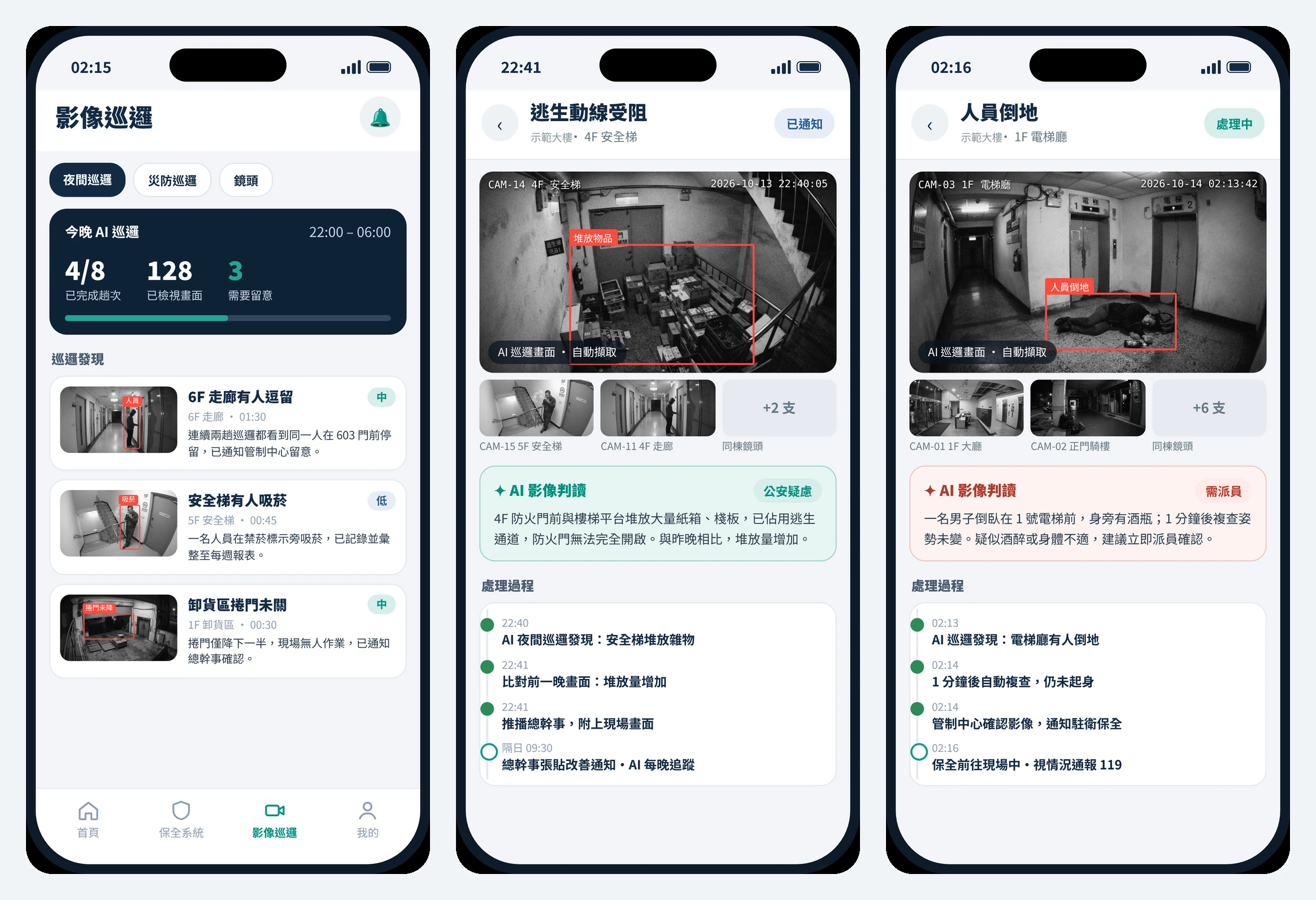
understands what is happening
not limited by a roster
forward an event directly
interface adapted per client
Why
Cameras on the wall do not mean anyone is watching
Most surveillance is only reviewed after something has already happened.
Too many feeds to watch
Dozens of cameras cycling on a wall; one person can follow one or two at a time, so most of the footage is never actually watched.
Nights and holidays are thinnest
Which is exactly when things happen. By the morning inspection it is already too late.
Motion detection cries wolf
Shadows, changing light and passing animals all trigger it — until someone turns the notifications off.
Evidence is painful to retrieve
Finding the right window means digging through the NVR, and the clip still may not be in a form you can hand to anyone.
Workflow
Four steps to turn existing surveillance into a system that patrols
-
STEP 01
Connect existing cameras
Use the IP cameras and recorders already installed — nothing has to be swapped out for the AI.
-
STEP 02
Set schedule and rules
Choose the cameras, the hours to sweep and what each camera should watch for, all from the console.
-
STEP 03
AI reads each view
A vision-language model interprets what is in frame, compares against a baseline, and de-duplicates before raising anything.
-
STEP 04
Alert and evidence
Push, LINE or web notification with a still and a clip; events can be turned into a report link.
Detection
What it can pick up
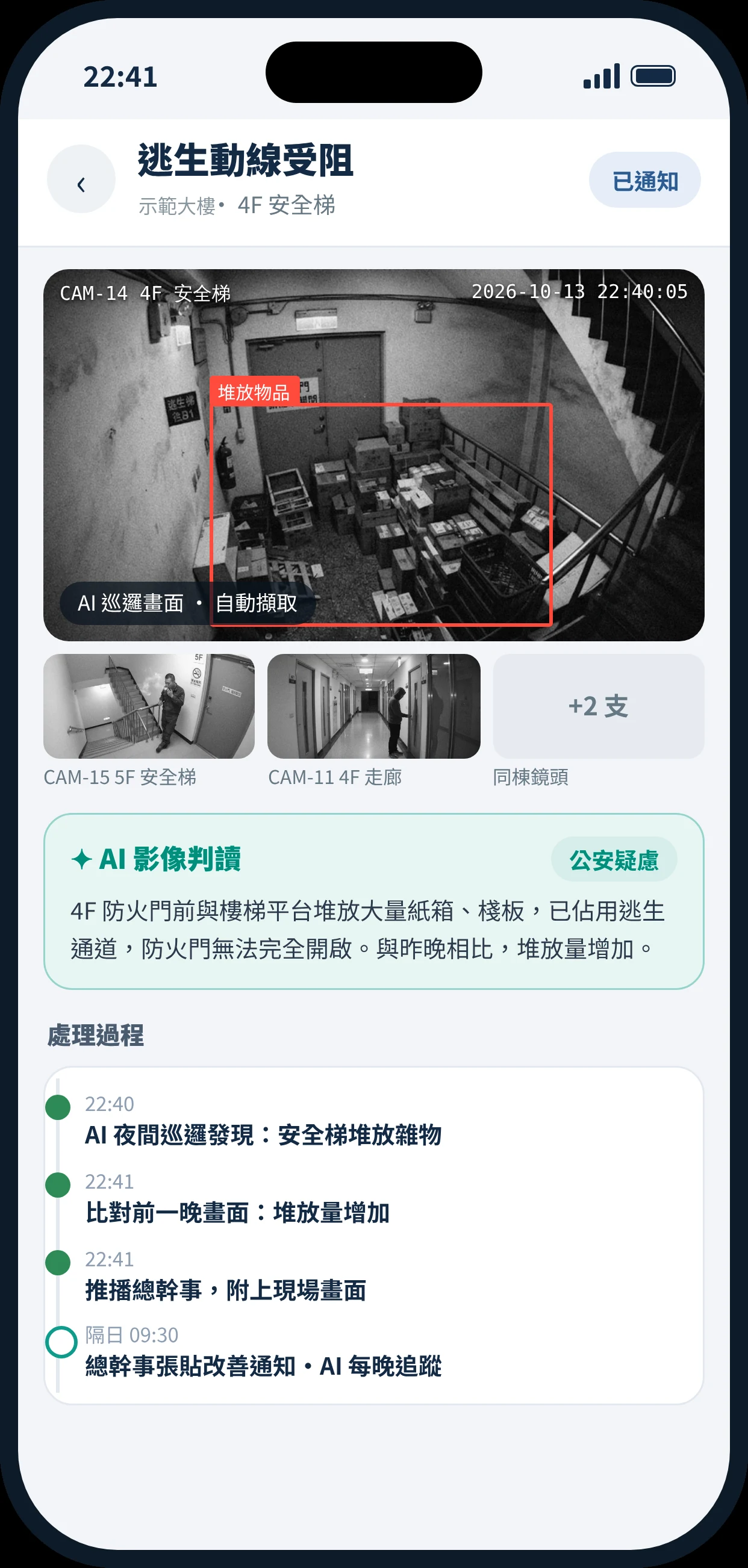
Common patrol items; the actual rules are configured per site.
- People present outside opening hours, or the same person loitering repeatedly
- A person down and not moving
- Items blocking escape routes or stairwells, fire doors held open
- Roller shutters or loading-bay doors left open or only half down
- Standing water in basements and low-lying areas
- Smoke indoors, smoking in a no-smoking area
- Vehicles parked for long periods in arcades or fire lanes
- Cameras obstructed, knocked out of position, or too dark at night
Severity
Graded alerts, not constant noise
Every alert carries a severity; who is notified and how can be set per grade.
High
Needs checking now — someone inside outside opening hours, a person down. Pushed immediately and raised with the control room.
Medium
Worth attention but not urgent — a shutter left open, a vehicle parked too long, repeated loitering. Passed to the site contact to follow up.
Low
Logged rather than chased — a dim picture, smoking in a no-smoking area. Rolled into the period report.
Evidence
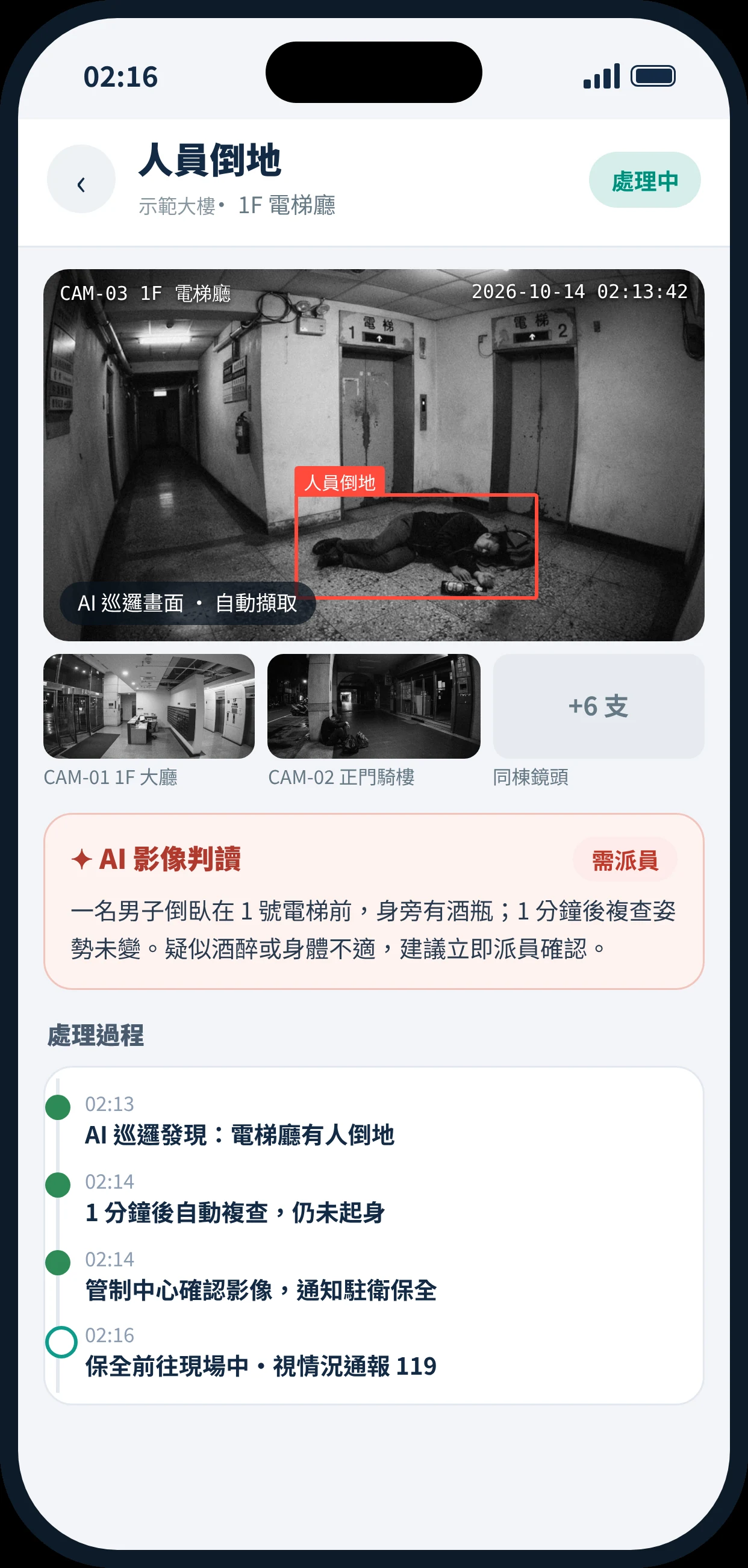
Every alert leaves something behind
- A written AI reading: what happened, on which camera, at what time
- Still and clip; video plays inside the app rather than sending you to the NVR
- Neighbouring camera views for the same event, for before-and-after context
- A 72-hour login-free share link to forward to the property manager, insurer or police
- Report links for today, the last 7 or 30 days, or a custom range — open it to print or save as PDF
Notification
Alerts that reach someone
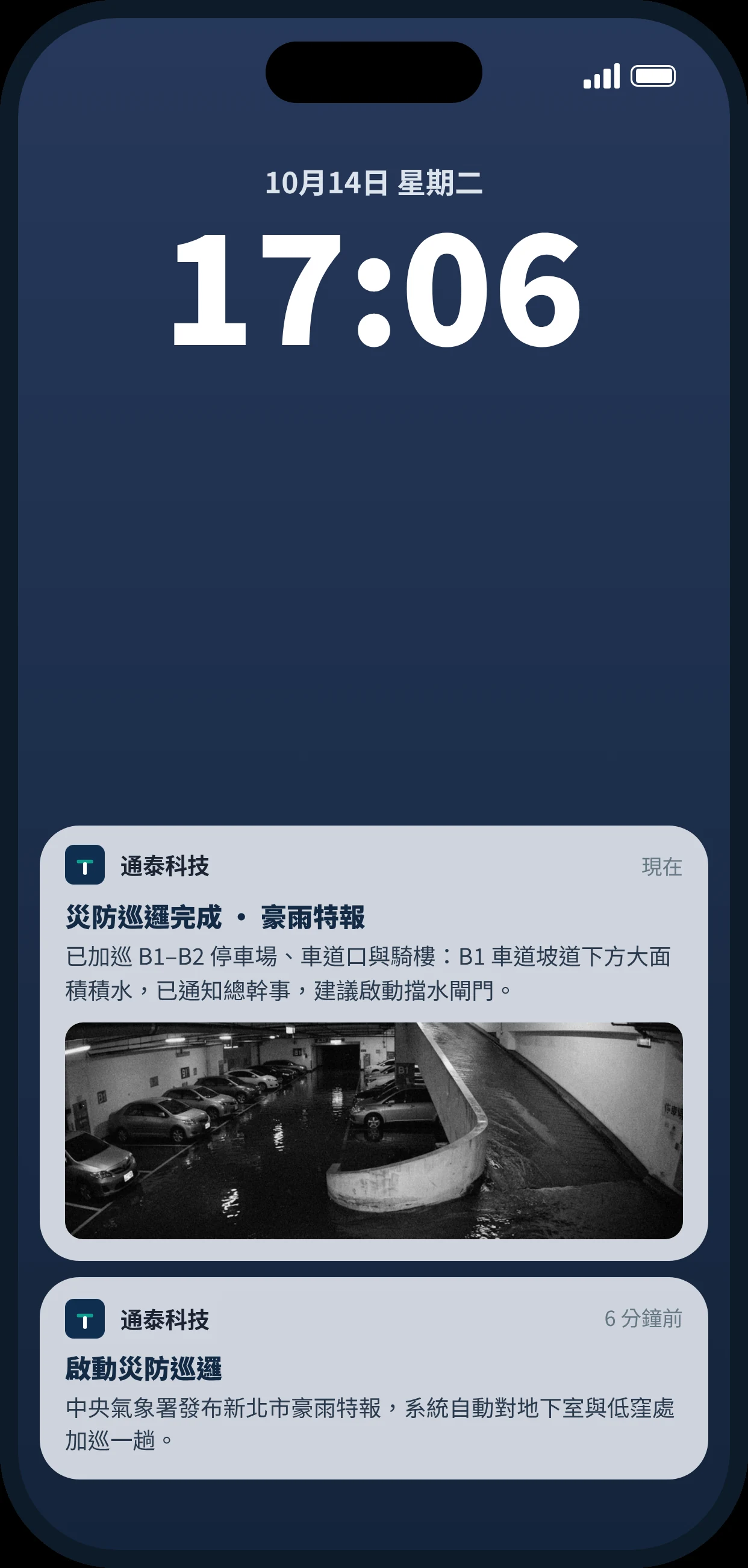
- Mobile push that opens straight to the event
- LINE and web notifications in parallel, or a webhook into the client's own system
- Distributed by site permission, so each person only receives their own sites
- Linked to weather and disaster feeds: an extra sweep of basements and low-lying areas when heavy rain is forecast
Integration
Works alone, or alongside the rest
Follows the alarm state
Patrols only while the security system is armed, and stops when it is disarmed — no wasted sweeps.
Pulls footage on alarm
When the security system fires, the relevant camera views are pulled and read automatically, and attached to the alarm.
Dispatch from the control room
When someone does need to attend, the task goes out with the still and clip already attached to the guard's app.
One record with human patrols
Linked to the smart patrol system, what the AI saw and what a person checked sit in the same record.
Rollout
How a rollout runs
Survey the cameras
Check position, image quality and recorders, then pick the cameras worth bringing into the patrol.
Configure and trial
Set the hours and rules, run it for a period, and tune from the false positives and misses.
Go live
Widen the camera set, set notification recipients by severity, and connect to security, dispatch or patrol systems where useful.
※ Screens shown here are from a demonstration environment; site and staff names are fictional. Detection rules and layout are configured per site.
Curious what your existing cameras could do?
Tell us the camera layout on site and what you are trying to catch, and we will assess what is feasible.